| Name | Share code | Duty | Likes | Actions |
|---|---|---|---|---|
Learn how to create, save, and share your strategy boards from Final Fantasy XIV using the official Strategy Board feature.
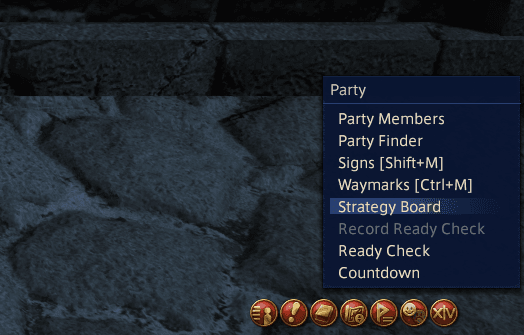
The Strategy Board feature can be accessed from the main menu in Final Fantasy XIV:
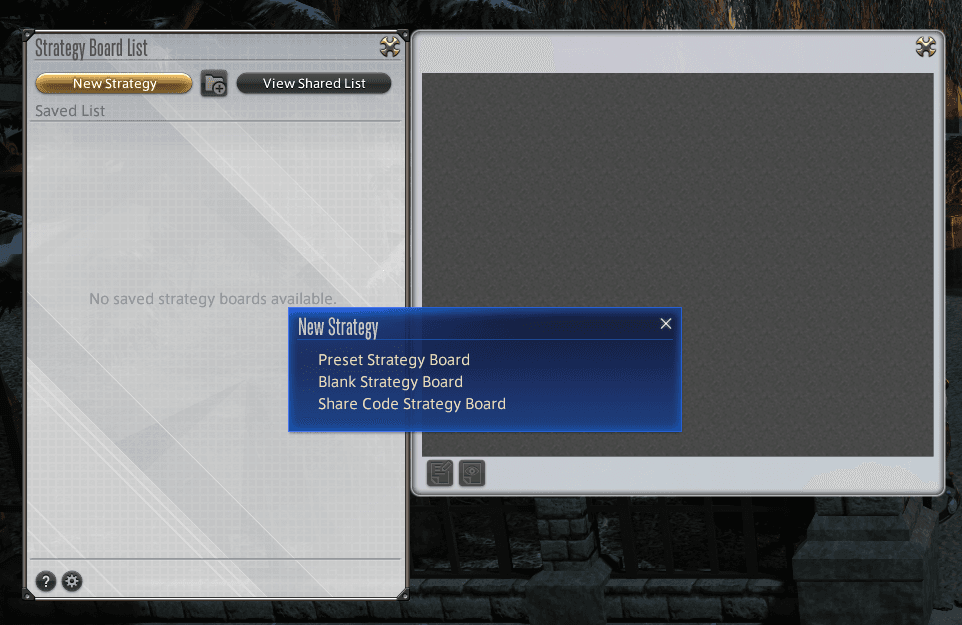
To create a new strategy board, click the "New Strategy" button on the Strategy Board List window. You will be presented with three options:
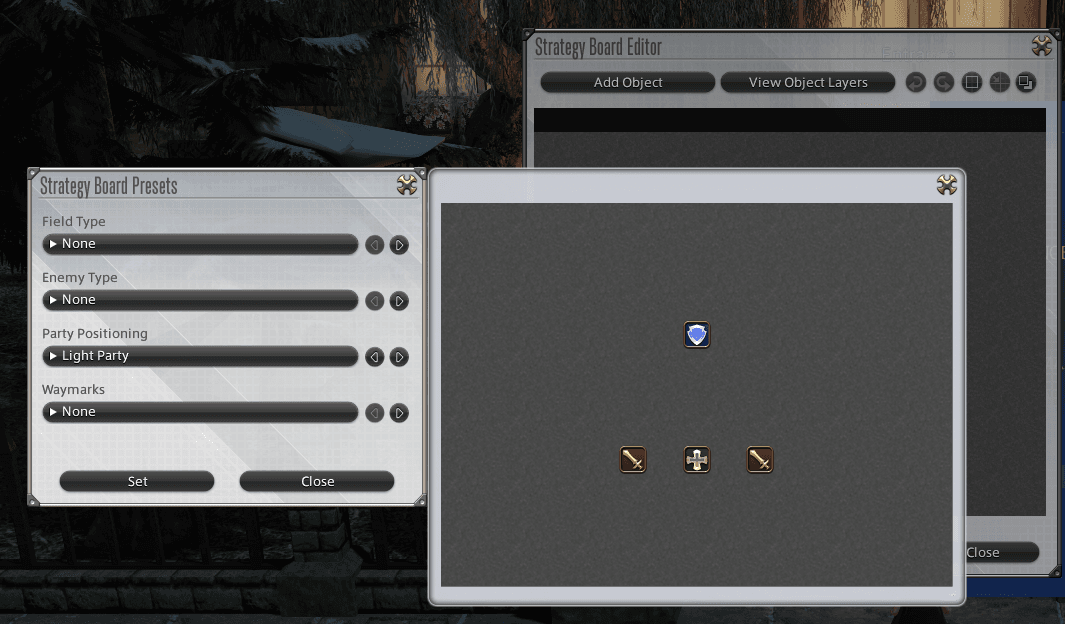
Select from a variety of field types, party positioning icons, and other basic elements to quickly create a strategy board with pre-configured elements.
Create a blank strategy board without any preset configurations. This gives you complete freedom to design your strategy from scratch.
Enter a text-based code to load a strategy board created by another player. This allows you to use and modify strategies shared by the community.
The Strategy Board Editor allows you to add and adjust different strategy board objects. To edit a saved strategy board, select "Edit Strategy Board" from the Strategy Board List subcommand menu, or click the Edit icon at the bottom left of the preview window.
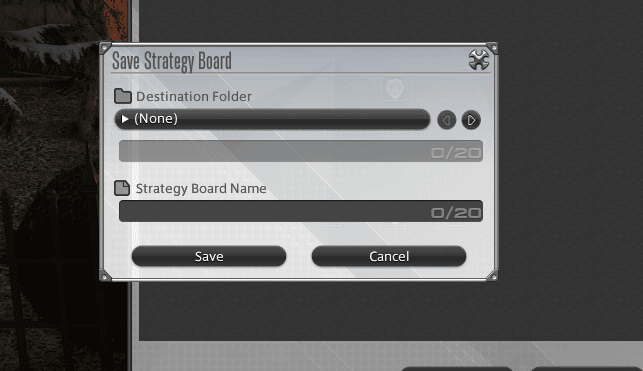
Once you've created and edited your strategy board, you can save it for future use:
Created strategy boards can be shared with other players via share code.
A share code is a text string that contains your strategy board configuration from Final Fantasy XIV. It allows you to share your raid strategies with others. You can create strategy boards using icons, symbols, and markers, and then generate a share code to share them with the community.
Generate text-based codes to share with other players, which they can then enter when creating their own strategy board. This is the method used to share boards on this platform.
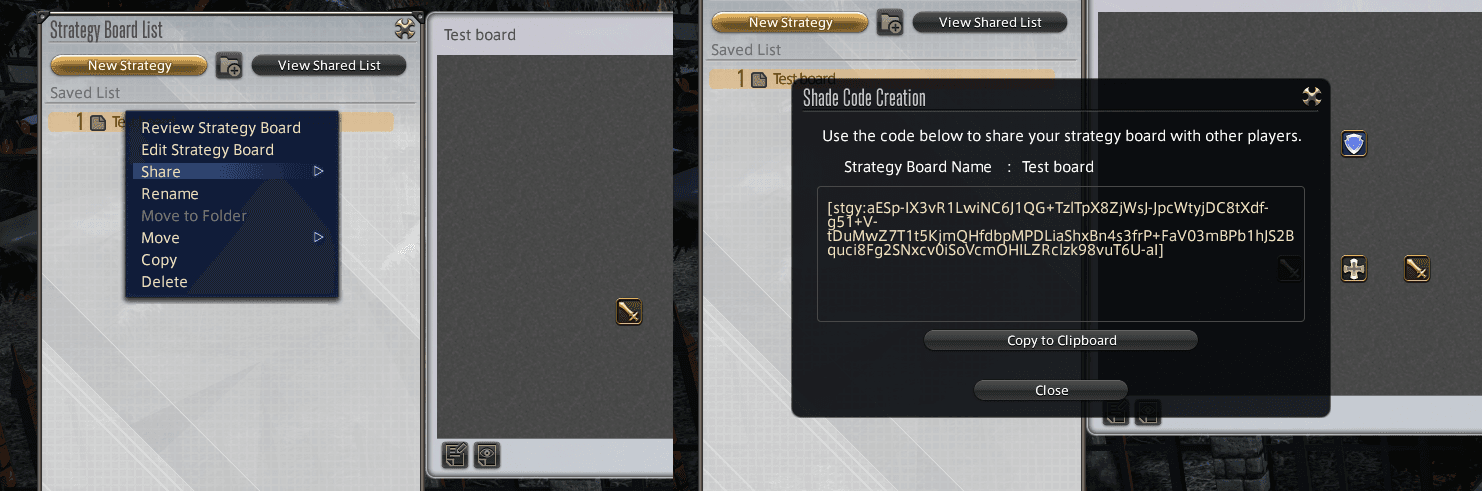
Once you've generated your share code in FFXIV, you can use it on this platform to create and share your strategy boards:
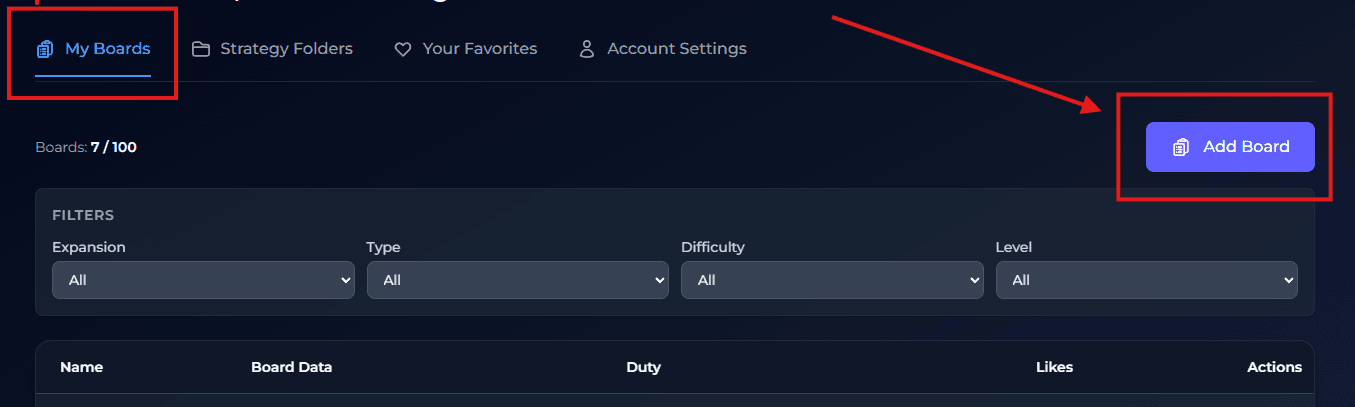
💡 Tip: The share code is a single long text string. Make sure to copy it completely, including all characters from start to end. Missing even a single character can cause the code to be invalid.
⚠️ Note: Share codes are specific to each strategy board. If you update your board in-game (change markers, positions, or notes), you'll need to generate a new share code and update it here.
ℹ️ Information: Share codes can be quite long. Don't worry if the code seems very long - this is normal and expected. The code contains all the detailed information about your strategy board configuration.